Skip to content
Languages

Spanish transcription, private and free

Turn Spanish recordings into accurate, timed text on your own device, or translate them straight into English.

  • Nothing uploaded
  • No sign-up
  • Free
or drop it here · MP3 WAV M4A MP4 MKV MOV FLAC OGG
Language: SpanishNothing is uploaded
How it works

Three steps, all on your device

  1. Pick a Spanish recording

    Audio or video in Spanish, or press Record. Spanish is already chosen as the spoken language.

  2. Let the engine listen

    A multilingual model transcribes the Spanish on your device, with accents and punctuation.

  3. Edit, export or translate

    Correct names, then save the text or subtitles. Tick Translate to English for an English version.

Why it works

Why OmniaScribe

  • Rated high from Standard up

    Spanish is one of the languages the models transcribe most accurately.

  • Spanish subtitles

    Export SRT or VTT in Spanish, or English subtitles from Spanish speech.

  • Nothing uploaded

    Interviews, classes and family recordings stay on your device.

One of the strongest languages

After English, Spanish is among the languages speech models handle best, simply because there is so much Spanish audio in the world. With the Standard and High accuracy models it is rated high: clear Spanish speech comes back with few mistakes, correct accents on words such as “está” and “también”, and punctuation, including the opening ¿ and ¡ marks. Fast is rated medium for Spanish; it is fine for a quick look but leaves more to correct.

Spain, Mexico, Argentina and everywhere else

The model was trained on Spanish from many countries, so it follows Castilian, Mexican, Caribbean, Andean and Rioplatense speech. Vocabulary that differs between countries, such as “coche” and “carro”, comes out as it was said. Fast regional speech, dropped final consonants in Caribbean Spanish, and the “sh” sound of Buenos Aires can cause occasional slips, so the High accuracy model is the better choice for strongly regional recordings.

Mixed Spanish and English, common in the United States, is harder. The engine follows one language per file; keep Spanish selected and fix English phrases by hand, or transcribe in English if most of the recording is English.

Choose Spanish rather than detect

Language detection listens to the start of the file. A recording that opens with English, music or silence can be guessed wrong, and the whole transcript then comes out in the wrong language. Coming from this page, Spanish is already selected, and it stays your choice in the workspace until you change it.

Spanish to English

Spanish is also one of the languages that translates best into English. With a multilingual Standard or High accuracy model, tick Translate to English before you start and the engine writes English text directly from the Spanish speech, timed for subtitles. For an exact record, transcribe in Spanish too and keep both.

Checking the result

Look first at names of people and places, which are often spelled the way they sound. Check numbers and dates, and words that differ only by an accent, such as “sé” and “se” or “más” and “mas”, where the model sometimes picks the wrong one. Click any line to hear it again while you correct it.

Dictating in Spanish

Spanish also works well for live dictation. Press Record, speak at your usual pace, and the live draft follows you; with the Standard model it is already quite readable. When you stop, the final pass fixes most of what the draft missed.
Specs

Formats and limits

Audio
MP3, WAV, M4A, AAC, FLAC, OGG, OPUS
Video
MP4, MOV, MKV, WEBM
Export
TXT, PDF, DOCX, SRT, VTT
Languages
99, or detect automatically
Longest file per model
ModelComputerPhone
Fast3 h1 h 30 min
Standard2 h1 h
High accuracy1 h30 min

Files that would take more than about 45 min on your device ask before they start.

Expected accuracy in Spanish

From published test results for each model size, on clear read speech. Your own recordings may do better or worse.

  • FastMedium
  • StandardHigh
  • High accuracyHigh
FAQ

Questions, answered.

Something else on your mind? Email us and a person replies.

How accurate is Spanish transcription?

Spanish is rated high with the Standard and High accuracy models and medium with Fast, based on published test results.

Does it understand Latin American Spanish?

Yes. It follows Spanish from Spain and across Latin America. Strongly regional speech works best with High accuracy.

Does it add accents and ¿ ¡ marks?

Yes. Accented letters and Spanish punctuation are written as part of the text.

Can I get English text from Spanish audio?

Yes. Tick Translate to English before you start, with a multilingual Standard or High accuracy model.

Is my recording uploaded?

No. It is transcribed in your browser on your device.

Which model should I download for Spanish?

A multilingual one. Standard is a good balance; High accuracy is best on a laptop.

Guides

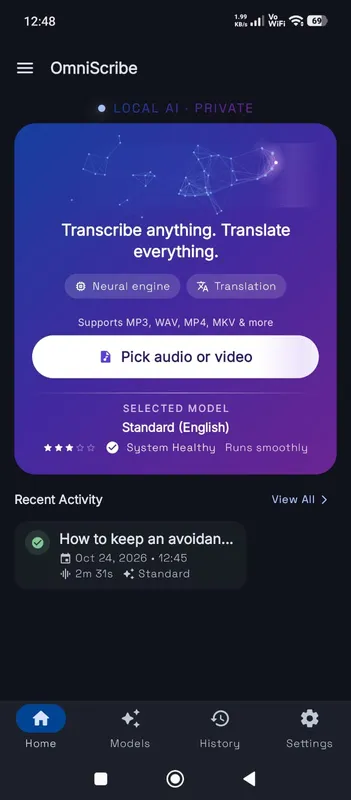
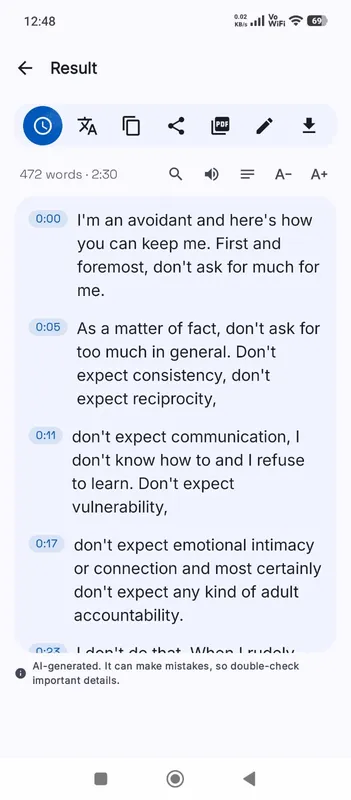
OmniScribe for Android

Transcribe anywhere.
No signal needed.

Install the free Android app and turn recordings into text on your phone, even with the screen off. Your audio never leaves the phone.

  • Works offline after a one-time model download
  • Translates offline, too
Get it on Google Playfree with ads · optional Pro
The OmniScribe home screen