Dictation without a cloud service
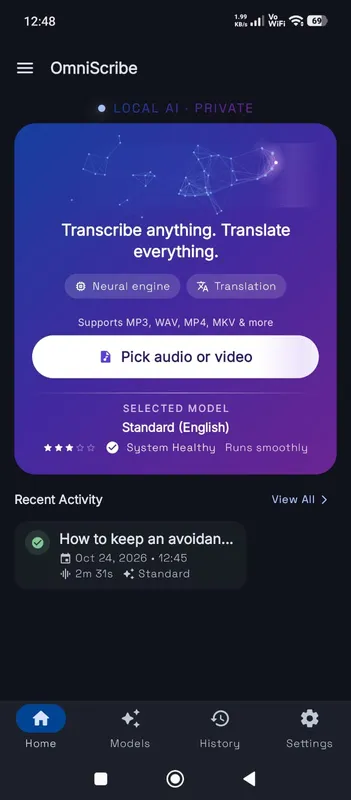
Most speech-to-text features send your voice to a company’s servers and return the text. That is fast, but it means a recording of you exists somewhere you do not control. Here the recording stays in your browser’s storage on this device, and the Local AI engine turns it into text on your own processor. It suits drafting emails, journaling, writing a first draft by talking, or dictating notes after a client visit.
The live draft and the final text
While you speak, a quicker pass, often with a smaller model, writes a live draft so you can see you are being heard. It is a draft: it may lag a little and get more words wrong. When you press Stop, the whole recording is transcribed again with the model you chose, which gives the final text you edit and export. That second pass takes a little while for long recordings, and the result is noticeably cleaner.
For each language the recorder shows a label for how good the live draft is likely to be: high, medium or rough. The label is based on published test results, not on guesswork, and it never stops you from using a language.
The browser’s own recognizer
For languages where the live draft is medium or rough, some browsers offer their own on-device speech recognizer. OmniaScribe offers it as an option and asks the browser to keep it on the device. The final text is still made by the Local AI engine when you stop, so you get the same quality either way.
Speaking for good results
Use a headset or sit close to the laptop’s microphone, and speak at a steady pace. You do not need to dictate punctuation; it is added from how you speak. Pause between thoughts rather than in the middle of a sentence. If you stumble, just say the sentence again and delete the first try later with Edit, which is quicker than stopping and starting.
After you stop
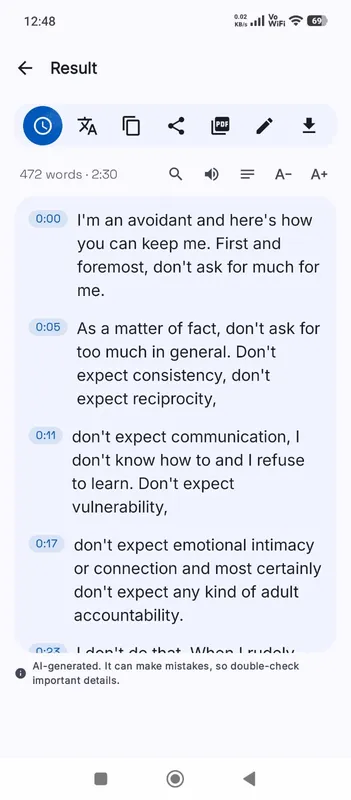
The finished transcript opens with the recording, so you can click any line to hear it. It is also saved in History on this device. Copy the text into the email or document you were writing, or save it as TXT, DOCX or PDF.
Dictation works best in short sessions. Five minutes on one topic gives you a transcript that is easy to tidy; an hour of thinking aloud gives you a long block to sort through. Record one idea, stop, and start a new recording for the next one.