Skip to content
Subtitles

VTT subtitle generator for web video

Create a timed WebVTT caption file for your web player from the speech in a video, on your own device.

  • Nothing uploaded
  • No sign-up
  • Free
or drop it here · MP3 WAV M4A MP4 MKV MOV FLAC OGG
Nothing is uploaded
How it works

Three steps, all on your device

  1. Pick the video or audio

    The file you will publish, or its sound track. Set the spoken language if you know it.

  2. Review the captions

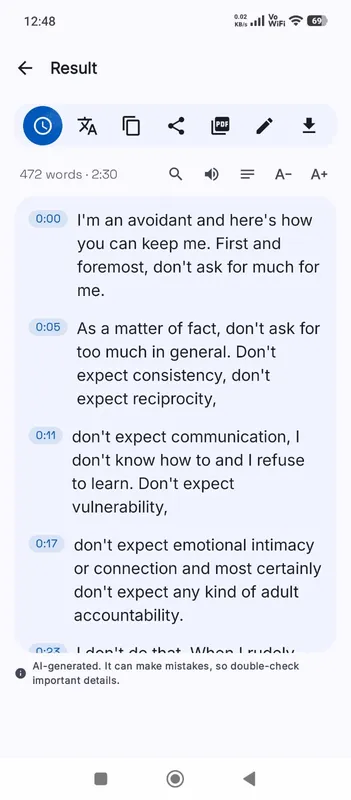
    Play lines to check them and correct any words with Edit. The timing stays as it is.

  3. Download the .vtt file

    The VTT button is highlighted on the result. Add the file to your player with a track element.

Why it works

Why OmniaScribe

  • Valid WebVTT

    A WEBVTT header, dot-separated times and cues that never overlap, ready for HTML5 players.

  • Plain text, safely

    Your transcript is written as text only, so nothing in it turns into markup in the player.

  • 99 spoken languages

    Caption in the language spoken, or produce English captions straight from the speech.

What WebVTT is for

WebVTT is the caption format built into the web. The HTML video element loads it through a track tag, and every modern browser shows the captions with its own controls, including the switch viewers use to turn them on or off. Players such as Video.js, Plyr and the players inside most course platforms and website builders read VTT too. If your video lives on your own website, VTT is usually the file you need. For YouTube, video editors and desktop players, SRT is more common.

Adding the file to your page

Upload the .vtt file next to the video on your server. In the video element, add a track element with kind set to captions or subtitles, a srclang such as en, a label viewers will see, and src pointing at the file. Serve it from the same site as the page, or the browser may refuse to load it. Mark one track as default if you want captions on from the start.

Captions help everyone who watches with the sound off, and they are required for accessibility under many public-sector rules. A correct transcript is the larger part of that work.

How the cues are built

The engine writes a timed transcript first. When you export VTT, long lines are split into short cues that fit comfortably on one line of the player, and each one gets a share of its line’s time in proportion to its length. Cues are kept in order and never overlap, which some players are strict about. The text is written as plain text, so a stray angle bracket in your transcript cannot turn into markup.

Checking before you publish

Watch the video once with the captions on in your own player. Fix misheard names and numbers with Edit, and shorten any cue that flashes by too fast to read. If you change the video afterwards, for example by trimming the start, transcribe it again so the timings still match.

It is also worth keeping a copy of the VTT next to the video’s source files. When you update the page or move hosts later, the captions move with the video instead of having to be made again.

Several languages

You can offer more than one caption track. Make one in the spoken language, and an English one by ticking Translate to English before you start. In Chrome on a computer, Translate on the result can also make a copy in another language with the same timings, which exports as its own VTT file.
Specs

Formats and limits

Audio
MP3, WAV, M4A, AAC, FLAC, OGG, OPUS
Video
MP4, MOV, MKV, WEBM
Export
TXT, PDF, DOCX, SRT, VTT
Languages
99, or detect automatically
Longest file per model
ModelComputerPhone
Fast3 h1 h 30 min
Standard2 h1 h
High accuracy1 h30 min

Files that would take more than about 45 min on your device ask before they start.

FAQ

Questions, answered.

Something else on your mind? Email us and a person replies.

What is the difference between VTT and SRT?

Both are timed text. VTT starts with a WEBVTT header and uses dots in times; it is the web’s own format. SRT is more common in editors and on YouTube.

Is my video uploaded?

No. The sound is decoded and transcribed in your browser on your device.

Can I get SRT as well?

Yes. The same result exports SRT, TXT, DOCX and PDF too.

Will the captions work in an HTML5 video element?

Yes. Add the file with a track element, served from the same site as your page.

Can I edit the captions?

Yes. Use Edit on the result; the export uses your corrected text with the original timing.

How long can the video be?

On a computer, Fast handles up to 3 h, Standard handles up to 2 h, High accuracy handles up to 1 h. On phones it's half of that. Split longer videos into parts.

Guides

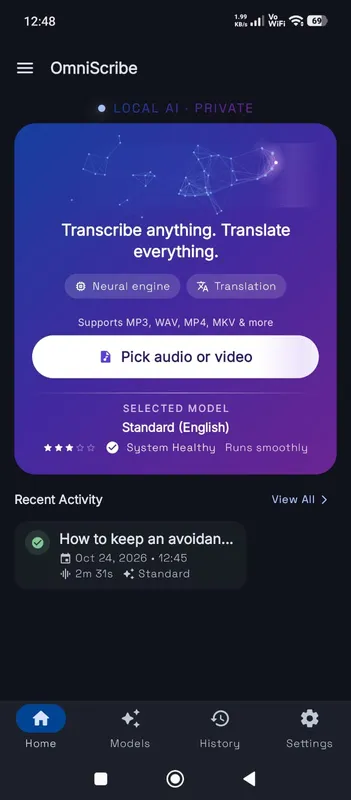
OmniScribe for Android

Transcribe anywhere.
No signal needed.

Install the free Android app and turn recordings into text on your phone, even with the screen off. Your audio never leaves the phone.

  • Works offline after a one-time model download
  • Translates offline, too
Get it on Google Playfree with ads · optional Pro
The OmniScribe home screen