Why WAV files are large but simple
WAV stores sound without lossy compression, so a minute of stereo CD-quality audio takes about ten megabytes, while the same minute as MP3 needs one. Field recorders, audio interfaces and dictation tools save WAV because nothing is thrown away. For transcription the size is no problem: the file is read from your disk, not uploaded, and the speech model works on a 16 kHz mono copy that the workspace makes from it in memory.
High sample rates and multiple channels
A 48 kHz or 96 kHz WAV transcribes exactly like a 44.1 kHz one, because it is resampled first. Stereo and multichannel files are mixed down to one channel before transcription. That means a two-person interview recorded with one microphone per channel is heard as one conversation; the transcript does not say which channel a line came from.
If one channel is much louder or noisier than the other, the mix can bury the quieter voice. In that case, export each channel as its own WAV from your editor and transcribe them separately.
Using a transcript for a paper edit
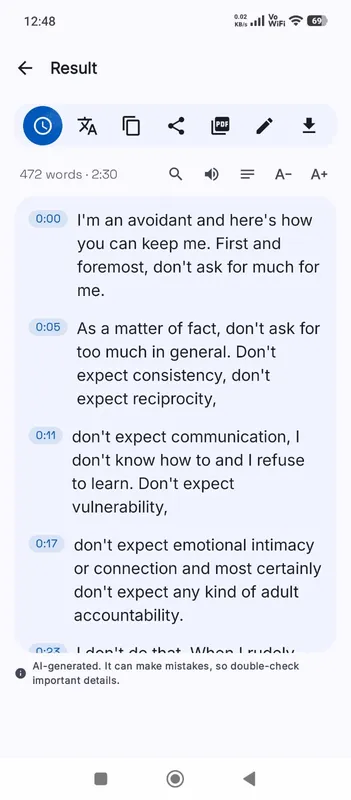
Editors of documentaries, radio pieces and podcasts often cut on paper first: read the transcript, mark the lines to keep, then assemble them in the timeline. A timed transcript of the raw WAV makes this fast. Turn timestamps on, export DOCX, and highlight the lines you want. Each one carries the time it starts, so finding it again in your editor takes seconds.
Dictation recorders
Many dictation recorders and older voice recorders save WAV by default. Speak in full, natural sentences: the model adds punctuation itself and works best with ordinary speech, not spoken commands such as “comma” or “new paragraph”. Proper names, drug names and legal terms are worth checking in the transcript, and fixing them with Edit is quicker than retyping a page.
Long sessions
A recording session can run for hours. Before it starts, the workspace checks the length against what the chosen model can handle on your device and tells you if the file is too long. Split long sessions at natural breaks in your editor and transcribe each part.
Splitting has a side benefit: each part gets its own transcript in History, named after its file. Name the parts by take or by topic, and the list of transcripts becomes a rough index of the whole session. Trimming long silences and the chatter between takes before you transcribe also saves processing time, because silence still takes time to work through.