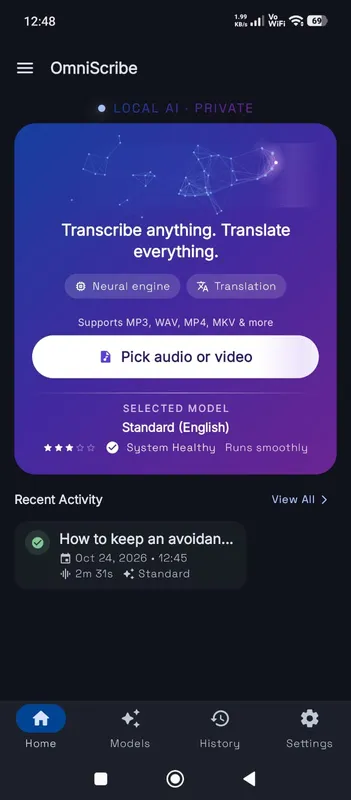
No meeting bot, no upload
Many meeting tools transcribe by sending a bot into the call or uploading the recording to their servers. Both mean someone outside the meeting receives what was said. When the call covers salaries, health, legal matters or a client’s plans, that may break policy or a contract. Here you transcribe the recording after the call, on your own computer, and the audio is never sent anywhere. Nobody else in the meeting sees anything new on their screen.
Getting the recording out of your meeting software
Zoom, Microsoft Teams, Google Meet and most other tools can save a recording, either to your computer or to their cloud, from where you can download it. The file is usually an MP4 with the video, or an M4A with audio only. Either works; only the sound is transcribed, so the audio-only file is simply smaller. Make sure everyone knows the meeting is being recorded, as the law requires in many places.
For an in-person meeting, a phone in the middle of the table records everyone reasonably well. A conference speakerphone with a recording option is better still.
Turning a transcript into minutes
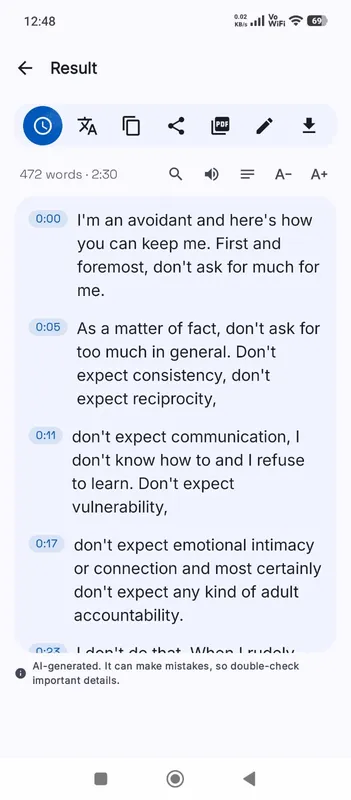
A transcript is not minutes, but it makes minutes much faster to write. Search for words like “decide”, “agree”, “by Friday” or a colleague’s name to find decisions and action items. Click each line to hear the context. OmniaScribe does not label speakers, so add a name where it matters. Then copy the key lines into your minutes template, or export the whole transcript as DOCX and trim it.
Accuracy in meetings
Meetings are harder to transcribe than a single speaker. People talk over each other, some sit far from the microphone, and laptop fans and keyboards add noise. Overlapping speech is where most mistakes happen. In video calls, each person’s own microphone helps, so call recordings often come out better than room recordings. The Standard or High accuracy model gives noticeably better results for meetings than Fast.
Keeping the record
The transcript and recording are saved in this browser’s History on this device. Delete them when your retention rules say so; nothing is kept anywhere else.
If your team needs the transcript in a shared drive, export it and save the file there yourself, so it follows the same access rules as the rest of your documents. Recurring meetings are easier to find later if you rename each recording with the date and meeting name before you transcribe it, because the file name becomes the transcript’s title.