What you can transcribe
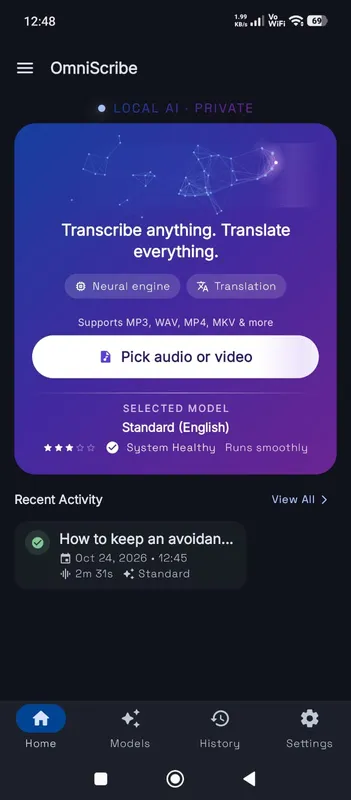
Most everyday recordings work well: voice notes from your phone, dictation, interviews, lectures, sermons, podcasts and meetings you recorded yourself. OmniaScribe reads the common audio formats, including MP3, WAV, M4A, AAC, FLAC, OGG and OPUS. If your browser can play the file, it can very likely be transcribed. When the browser's main decoder refuses a file, OmniaScribe tries a second decoder built into the browser before it asks you for another format.
How accurate is it?
Accuracy depends mostly on the recording. One speaker close to the microphone, little background noise and clear speech give the best results. Several people talking at once, music under the voice, strong echo or very fast speech all make mistakes more likely.
The model you choose matters too. Fast is the quickest and smallest download but misses more words. Standard is the balance most devices handle well. High accuracy catches more words, accents and names, and takes longer. For English, the English-only version of each model is usually more accurate than the multilingual one of the same size.
Tips for a cleaner transcript
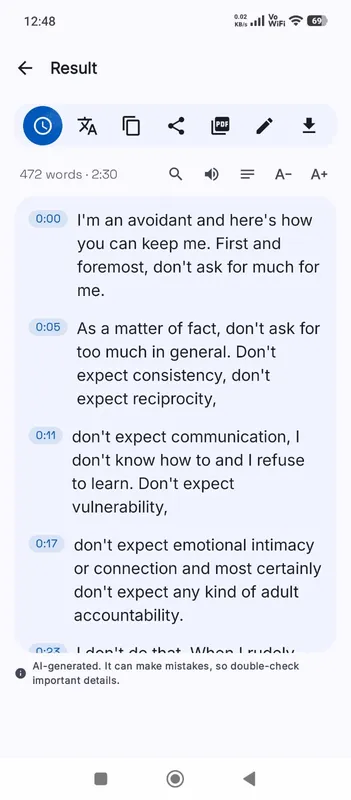
Choose the spoken language yourself when you know it. Auto-detect listens to the start of the file, so a recording that opens with music or silence can be guessed wrong. If a recording mixes two languages, transcribe it in the main one and fix the rest by hand. When the transcript is ready, search it for names the model may have spelled differently and correct them all in Edit.
What happens to your file
The audio is decoded and transcribed in a background worker inside your browser tab, so the page stays responsive. Nothing is sent to a server. The only download is the speech model, which comes from our model host once and is then kept in your browser's storage.
When the transcript is finished, it is saved in History on this device together with the recording, so you can play it back later. You can delete one transcript or all of them at any time.
Long recordings
The work happens on your own processor, so long files take a while on any device. OmniaScribe checks the length before it starts and tells you if the file is longer than the chosen model can handle here. If a file is likely to take more than about 45 min, it asks first, so you can pick a lighter model or split the file.