Skip to content
Languages

Portuguese transcription in your browser

Turn Brazilian or European Portuguese recordings into timed text on your own device, with nothing uploaded.

  • Nothing uploaded
  • No sign-up
  • Free
or drop it here · MP3 WAV M4A MP4 MKV MOV FLAC OGG
Language: PortugueseNothing is uploaded
How it works

Three steps, all on your device

  1. Choose the recording

    A Portuguese audio or video file, or press Record. Portuguese is already set as the spoken language.

  2. Transcribe it locally

    A multilingual model writes the Portuguese down on your device, with accents and timestamps.

  3. Correct and save

    Fix names and spelling with Edit, then export a document or subtitles.

Why it works

Why OmniaScribe

  • High accuracy from Standard up

    Portuguese is one of the best-supported languages after English and Spanish.

  • Timed to the second

    Click any line to hear it again while you check the text.

  • Stays on your device

    The recording is never sent to a server.

How well Portuguese is transcribed

Portuguese is one of the few languages rated high with both the Standard and the High accuracy model. In practice that means clear Portuguese speech comes back as readable text that needs only a light check: accents and the cedilla in words like “ação”, “você” and “coração” are written correctly, and sentences are punctuated. With the Fast model Portuguese is rated medium, good enough to skim a recording but not to publish without corrections.

Brazil and Portugal

Brazilian and European Portuguese sound quite different. European Portuguese swallows many unstressed vowels, which makes it harder for people and models alike, while Brazilian Portuguese is more open and is the larger share of the training audio. Both are transcribed under the same language setting. Expect slightly more mistakes with fast European Portuguese, and choose High accuracy for it if your device can run it.

Spelling follows the variant the model hears, which is not always consistent. Words such as “facto” and “fato” or “económico” and “econômico” may follow Brazilian spelling even for a speaker from Lisbon. A find-and-replace in your document fixes these quickly.

Uses that suit it

Researchers transcribe interviews in Portuguese for analysis, teachers turn recorded classes into notes, and video makers in Brazil and Portugal make subtitles for their channels. All of it happens on your own device, which matters for interviews and for recordings with children or patients.

Portuguese to English

Tick Translate to English before you start and a multilingual model writes English directly from the Portuguese speech. It keeps the timing, so you can export English subtitles. For a careful translation, keep the Portuguese transcript as well and compare the two.

Recording tips

Keep the microphone close and the room quiet. Background music, common in videos, makes Portuguese harder to follow than speech alone. Choose Portuguese rather than relying on detection, because a recording that starts with a few words of Spanish or English can be guessed wrong.

Subtitles for Portuguese videos

Creators who publish in Portuguese can export SRT for YouTube or VTT for their own site straight from the result. Before you upload, play the video once with the subtitles on and correct names, slang and English words that crept into the speech. Edits change only the words, so the timing of every cue stays matched to the voice and nothing needs to be shifted by hand. Burned-in subtitles can be made from the same file with Viditool.
Specs

Formats and limits

Audio
MP3, WAV, M4A, AAC, FLAC, OGG, OPUS
Video
MP4, MOV, MKV, WEBM
Export
TXT, PDF, DOCX, SRT, VTT
Languages
99, or detect automatically
Longest file per model
ModelComputerPhone
Fast3 h1 h 30 min
Standard2 h1 h
High accuracy1 h30 min

Files that would take more than about 45 min on your device ask before they start.

Expected accuracy in Portuguese

From published test results for each model size, on clear read speech. Your own recordings may do better or worse.

  • FastMedium
  • StandardHigh
  • High accuracyHigh
FAQ

Questions, answered.

Something else on your mind? Email us and a person replies.

How accurate is Portuguese?

Rated high with Standard and High accuracy, medium with Fast, based on published test results.

Does it work for Brazilian and European Portuguese?

Yes, both under the same setting. Fast European Portuguese works best with High accuracy.

Which spelling does it use?

It follows what it hears, often Brazilian spelling. Fix variants with find-and-replace if you need European spelling.

Can I translate Portuguese audio to English?

Yes. Tick Translate to English before you start, with a multilingual model.

Is my recording uploaded?

No. It is transcribed in your browser on your device.

Can I make Portuguese subtitles?

Yes. Export SRT or VTT from the result.

Guides

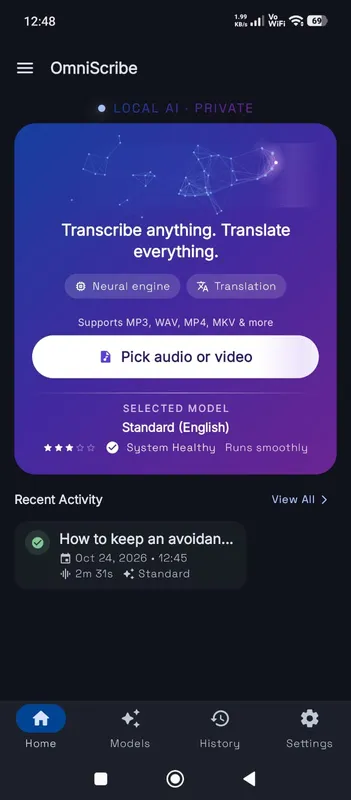
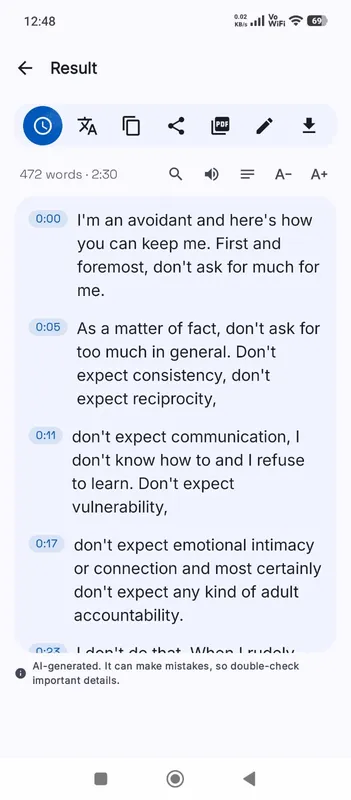
OmniScribe for Android

Transcribe anywhere.
No signal needed.

Install the free Android app and turn recordings into text on your phone, even with the screen off. Your audio never leaves the phone.

  • Works offline after a one-time model download
  • Translates offline, too
Get it on Google Playfree with ads · optional Pro
The OmniScribe home screen