Skip to content
Languages

Italian transcription on your device

Turn Italian recordings into clean, timed text in your browser, with nothing sent to a server.

  • Nothing uploaded
  • No sign-up
  • Free
or drop it here · MP3 WAV M4A MP4 MKV MOV FLAC OGG
Language: ItalianNothing is uploaded
How it works

Three steps, all on your device

  1. Pick an Italian file

    Audio or video in Italian, or press Record. Italian is already chosen for you.

  2. Watch the text appear

    A multilingual model writes the Italian down on your device, line by line.

  3. Edit and export

    Correct names and elisions, then save a document or subtitle file.

Why it works

Why OmniaScribe

  • High with High accuracy

    Italian is among the best-transcribed languages with the largest model.

  • Italian subtitles

    Export SRT or VTT timed to the speech for videos and courses.

  • Private recordings

    Nothing is uploaded; the transcript stays in this browser.

What to expect in Italian

Italian is rated high with the High accuracy model and medium with Standard and Fast. Its clear vowels and regular spelling suit speech models well, so even the medium-rated sizes produce readable drafts. With High accuracy, a clear recording of one speaker often needs only names and a few short words fixed. Use Standard on a phone or an older laptop, and switch to High accuracy for anything you intend to publish.

Accents, apostrophes and elisions

Italian writing depends on small marks: the accent in “perché”, “città” and “è”, and the apostrophe in elisions such as “l’amico” and “un’idea”. The model writes these as part of the text, and gets them right most of the time. The usual slips are “e” and “è”, “da” and “dà”, or a missing apostrophe in a less common elision, so read for those when you check a transcript.

Very fast speech can run words together. Clicking a line replays exactly that part, which makes it easy to hear where one word ends and the next begins.

Regional speech

Standard Italian with a regional accent, from Milan to Palermo, is transcribed well. Dialects such as Neapolitan, Sicilian or Venetian are another matter: they are often written as the nearest standard Italian words, or misheard. Interviews where people move between dialect and Italian need more correction in the dialect parts.

Good uses

Students transcribe lectures to revise from, journalists transcribe interviews before quoting them, and creators add Italian subtitles to their videos. For learners of Italian, a transcript of a podcast or a film clip, with each line playable, is an effective listening exercise.

Italian to English

To read an Italian recording in English, tick Translate to English before you start, with a multilingual model. High accuracy gives the most natural English. Set Italian as the spoken language rather than relying on detection when the recording starts with music, greetings in another language or silence. Coming from this page, it is already set, and the workspace remembers it.

Learning Italian with transcripts

If you are learning Italian, transcribe short recordings you find hard to follow: a radio segment, a voice message from a friend, a scene you filmed on holiday. Read along while you click each line to replay it. Hearing the words while you see them written, with every accent in place, trains your ear faster than listening alone, and the transcript stays in History for later practice.
Specs

Formats and limits

Audio
MP3, WAV, M4A, AAC, FLAC, OGG, OPUS
Video
MP4, MOV, MKV, WEBM
Export
TXT, PDF, DOCX, SRT, VTT
Languages
99, or detect automatically
Longest file per model
ModelComputerPhone
Fast3 h1 h 30 min
Standard2 h1 h
High accuracy1 h30 min

Files that would take more than about 45 min on your device ask before they start.

Expected accuracy in Italian

From published test results for each model size, on clear read speech. Your own recordings may do better or worse.

  • FastMedium
  • StandardMedium
  • High accuracyHigh
FAQ

Questions, answered.

Something else on your mind? Email us and a person replies.

How accurate is Italian?

Rated high with High accuracy and medium with Standard and Fast, based on published test results.

Does it write accents and apostrophes?

Yes. Check “e” and “è” and less common elisions, where slips are most likely.

Does it understand dialects?

Only partly. Neapolitan, Sicilian and other dialects are often written as standard Italian or misheard.

Is the recording uploaded?

No. It is transcribed in your browser on your device.

Can I make Italian subtitles?

Yes. Export SRT or VTT from the result.

Can I translate Italian audio to English?

Yes. Tick Translate to English before you start, with a multilingual model.

Guides

OmniScribe for Android

Transcribe anywhere.
No signal needed.

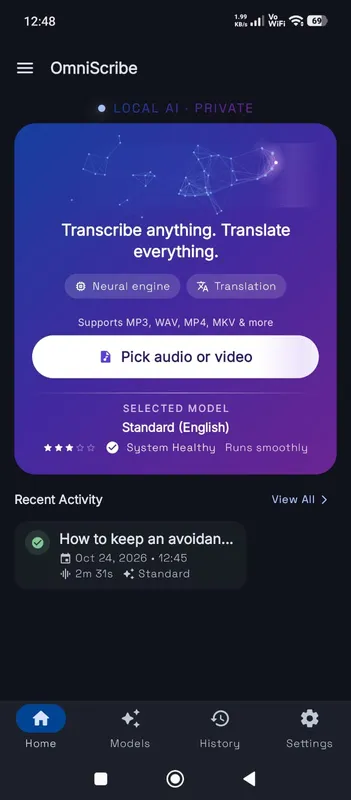
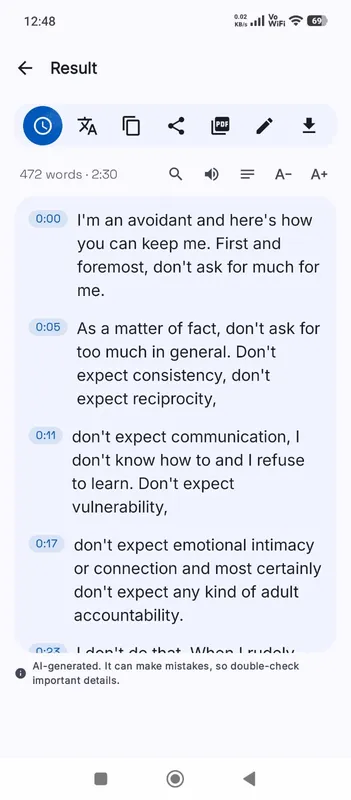
Install the free Android app and turn recordings into text on your phone, even with the screen off. Your audio never leaves the phone.

  • Works offline after a one-time model download
  • Translates offline, too
Get it on Google Playfree with ads · optional Pro
The OmniScribe home screen