The best-supported language
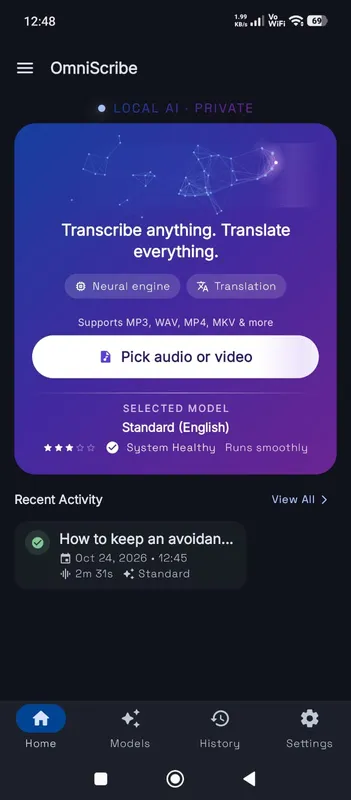
English is where speech models are strongest, because they were trained on more English than any other language. Every model size, even Fast, is rated high for English. That makes English the language where the smaller, quicker models are most worth trying: on an older laptop or a phone, Fast often gives a transcript that needs only light editing, and Standard is enough for nearly everything else.
English-only or multilingual?
OmniaScribe offers each model size in two versions. The English-only version spends all its capacity on English, so it tends to make fewer mistakes on English speech, especially with accents, fast talkers and casual conversation. The multilingual version knows 99 languages and can translate them into English. If everything you transcribe is English, choose the English-only version on the Models screen. If you sometimes record in another language, or want translation, keep a multilingual one as well.
Accents and dialects
The models have heard a wide range of English: American, British, Irish, Australian, Indian, Nigerian, South African and many more. Strong regional accents and heavy slang still cause more mistakes than broadcast-style speech. The High accuracy model handles accents noticeably better than Fast. Spelling follows what the model heard most often, which is usually American spelling; if you need British spelling, a quick find-and-replace in your document handles “color” and “organize”.
Names, numbers and jargon
The words most often wrong in an English transcript are the ones a general model has rarely seen: people’s and company names, product codes, medical and legal terms. Numbers sometimes come out as words and sometimes as digits. After the transcript is done, search for each important name and fix it with Edit. For recurring jargon, keeping a short list of correct spellings speeds this up.
Filler words such as “um” and “uh” are usually left out, and false starts are often smoothed over. That makes the text easier to read but means it is not a strict verbatim record. For verbatim work, listen back to the lines that matter.
Recording tips for English
Speak at your normal pace and keep the microphone close. On a computer, Fast handles up to 3 h, Standard handles up to 2 h, High accuracy handles up to 1 h. On phones it's half of that. For dictation, use Record: a live draft appears as you talk, and the final text is made when you stop.
Live dictation in English
Because even the smaller models do well in English, the live draft you see while recording is unusually good, and it is often close to the final text. That makes English the easiest language for dictating emails and notes: speak, watch the words appear, and press Stop when you are done.