Skip to content
Languages

Russian transcription in Cyrillic, on your device

Turn Russian recordings into timed Cyrillic text in your browser, without uploading them anywhere.

  • Nothing uploaded
  • No sign-up
  • Free
or drop it here · MP3 WAV M4A MP4 MKV MOV FLAC OGG
Language: RussianNothing is uploaded
How it works

Three steps, all on your device

  1. Pick a Russian recording

    Audio or video in Russian, or press Record. Russian is already set as the spoken language.

  2. Cyrillic text appears

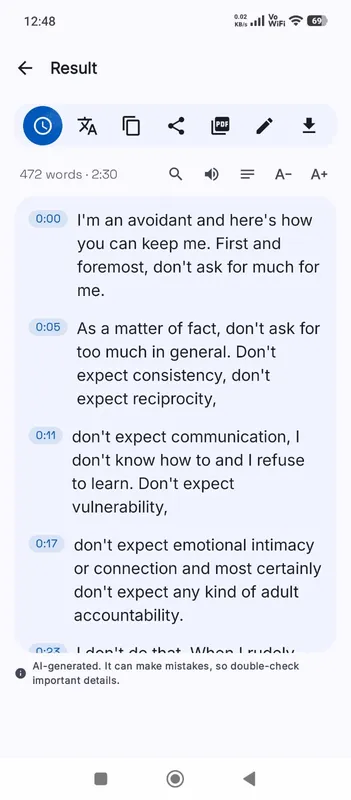
    A multilingual model writes the Russian down on your device, with punctuation and timestamps.

  3. Correct and export

    Fix names and endings with Edit, then save DOCX, TXT, PDF or subtitles.

Why it works

Why OmniaScribe

  • High with High accuracy

    Russian is rated high with the largest model and medium with Standard.

  • Recordings stay with you

    Interviews and calls are transcribed in your browser, not on a server.

  • Proper Cyrillic everywhere

    Text, DOCX and subtitle exports are plain Unicode Cyrillic.

Accuracy by model size

Russian is rated high with the High accuracy model and medium with Standard and Fast. With High accuracy, a clear recording gives text that reads naturally and needs only a check for names and endings. Standard gives a solid draft for notes and searching, with more small grammatical slips. If you plan to quote or publish, use High accuracy on a laptop or desktop.

Endings, ё and stress

Russian grammar lives in word endings, and unstressed endings are hard to hear: “-ого” and “-ова”, “-ться” and “-тся”. These are the most common mistakes in a Russian transcript, and they are quick to fix once you know to look for them. The letter ё is often written as е, as in much printed Russian; if your style requires ё, search for the words that need it.

Punctuation follows Russian rules most of the time, including commas before “что” and “который”, though long sentences may get fewer commas than a careful editor would use.

Names and borrowed words

Foreign names and English terms in Russian speech are usually written in Cyrillic as they sound, so “Microsoft” may come out as “Майкрософт”. Russian names and patronymics are mostly right, but rarer surnames are worth checking. Search the transcript for each name and correct it everywhere with Edit.

Other languages written in Cyrillic

Ukrainian, Belarusian, Bulgarian and other languages that use Cyrillic are separate languages to the engine. Choose the right one in the workspace rather than Russian, or the model will try to write them as Russian. The Languages page lists how well each of them is supported; most are rated lower than Russian.

Russian to English, and privacy

Tick Translate to English before you start for English text straight from Russian speech, best with High accuracy. Whether you transcribe or translate, the audio is processed on your device and kept only in this browser’s History, which matters for interviews and recordings that may be sensitive.

Subtitles in Russian

Russian words are long, so subtitle cues can fill the screen faster than in English. After exporting SRT or VTT, watch the video with the subtitles on and shorten cues that are hard to read in time. Edit the transcript rather than the subtitle file; the timing stays the same and every export then uses the corrected text, including a later DOCX or TXT copy for your records. Cyrillic is kept as it is in every file.
Specs

Formats and limits

Audio
MP3, WAV, M4A, AAC, FLAC, OGG, OPUS
Video
MP4, MOV, MKV, WEBM
Export
TXT, PDF, DOCX, SRT, VTT
Languages
99, or detect automatically
Longest file per model
ModelComputerPhone
Fast3 h1 h 30 min
Standard2 h1 h
High accuracy1 h30 min

Files that would take more than about 45 min on your device ask before they start.

Expected accuracy in Russian

From published test results for each model size, on clear read speech. Your own recordings may do better or worse.

  • FastMedium
  • StandardMedium
  • High accuracyHigh
FAQ

Questions, answered.

Something else on your mind? Email us and a person replies.

How accurate is Russian?

Rated high with High accuracy, medium with Standard and Fast, based on published test results.

Is the text in Cyrillic?

Yes. Russian is written in Cyrillic, and every export keeps it.

Does it write ё?

Often it writes е instead, as much printed Russian does. Correct it with Edit if you need ё.

Can it transcribe Ukrainian?

Yes, as its own language. Choose Ukrainian, not Russian, in the workspace.

Is the recording uploaded?

No. It is transcribed in your browser on your device.

Can I translate Russian audio to English?

Yes. Tick Translate to English before you start, with a multilingual model.

Guides

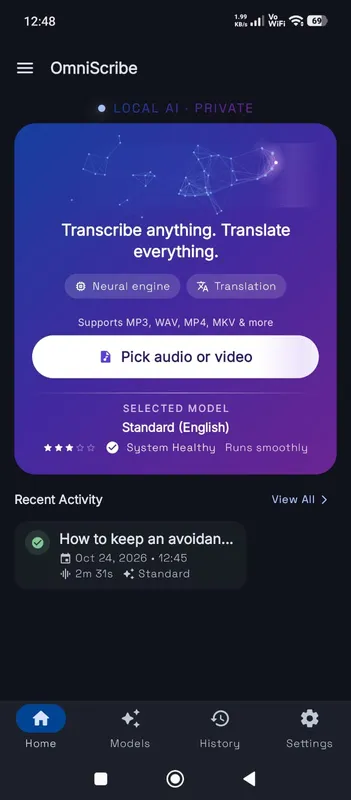
OmniScribe for Android

Transcribe anywhere.
No signal needed.

Install the free Android app and turn recordings into text on your phone, even with the screen off. Your audio never leaves the phone.

  • Works offline after a one-time model download
  • Translates offline, too
Get it on Google Playfree with ads · optional Pro
The OmniScribe home screen